
General
🧭 Discover Job Opportunities
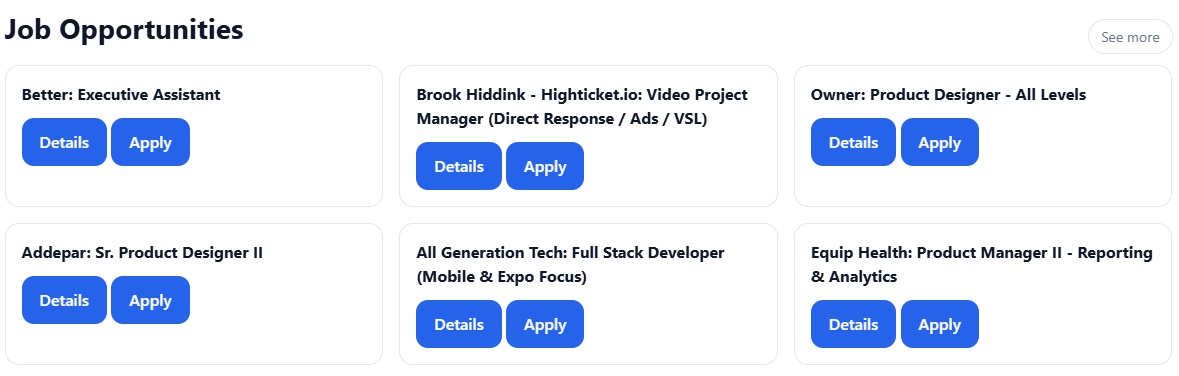
On the homepage, you can quickly see a selection of job opportunities.
You can:
-
Preview available jobs
-
Click Details to learn more
-
Click Apply to go directly to the job
-
Click See more to open the full Jobs page
🔍 Browse and Search Jobs
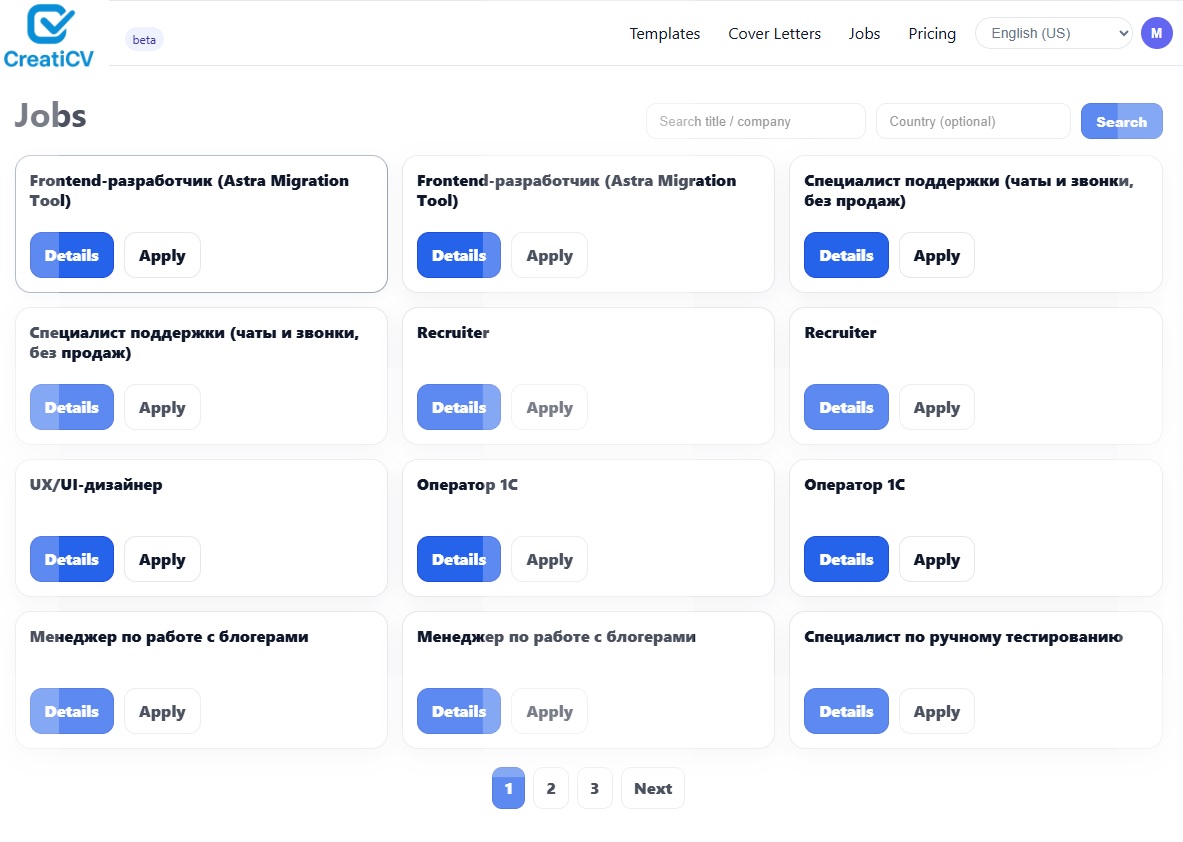
In the Jobs section, you can explore all available job listings.
Use the search tools to:
-
Search by job title or company
-
Filter by country (optional)
You can also:
-
Browse multiple pages of jobs
-
Click Details or Apply for each job
📄 View Job Details
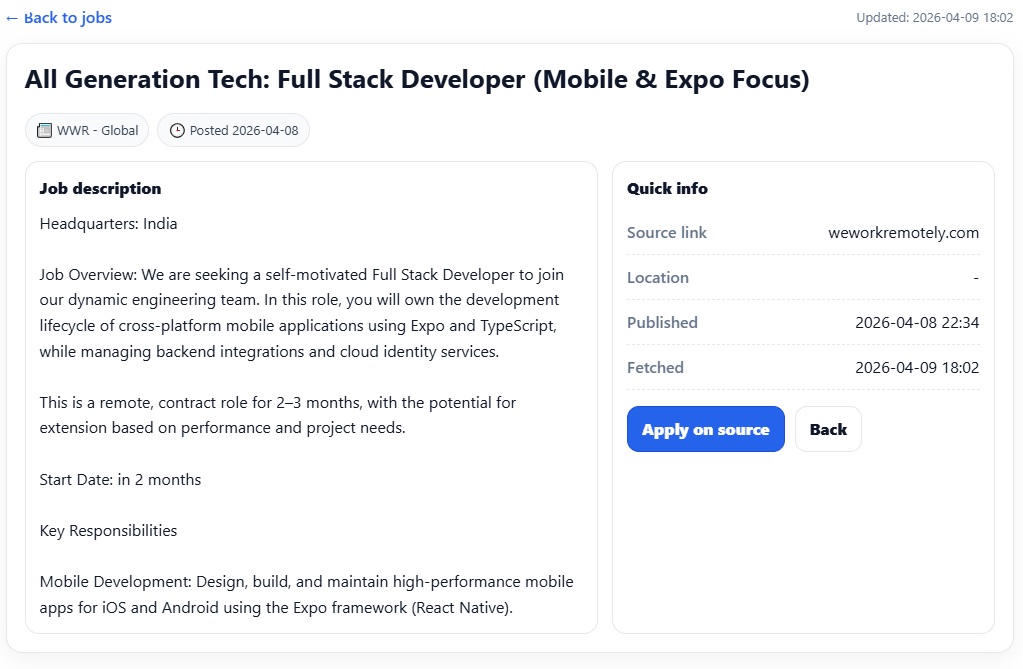
Click Details to open the full job description.
You will see:
-
Job title and company
-
Description and requirements
-
Location (if available)
-
Salary (if provided)
-
Publish and update dates
-
Source website
🚀 Apply for Jobs
There are two ways to apply:
From the job list
Click Apply to go directly to the job posting.
From the job details page
Click Apply on source to open the original job website.
👉 CreatiCV does not process applications directly.
All applications are completed on the external job platform.
🤖 Improve Your Chances with AI
After finding a job, you can use AI tools to improve your application.
With AI Job Match, you can:
-
Compare your resume with the job
-
Get a match score
-
Identify missing skills
-
Receive improvement suggestions
👉 See: AI Job Match
❓ Common Questions
Why are some jobs in different languages?
Jobs come from global sources, so some listings may appear in different languages.
Why am I redirected to another website?
CreatiCV only lists jobs. You apply on the original job website.
Can I apply using my CreatiCV resume directly?
No. You need to apply on the job provider’s site, but you can download your resume and use it there.
👉 See: Download Your Resume
💡 Tips for Better Results
-
Keep your resume updated
-
Use AI Check to improve content
-
Match your resume for each job
-
Write a tailored cover letter
👉 See also:
-
Edit Your Resume
-
AI Check
-
AI Job Match
-
AI Cover Letter Generation