
Reorder Sections
Reorder Sections and Items
You can organize your resume by changing the order of sections and the items inside each section.
This helps you present your experience clearly and in the most effective way.
Reorder Sections
In the Resume Editor, each section has a drag handle on the right side (the six-dot icon).
Click and hold the drag handle, then move the section up or down.
Release it to place the section in a new position.
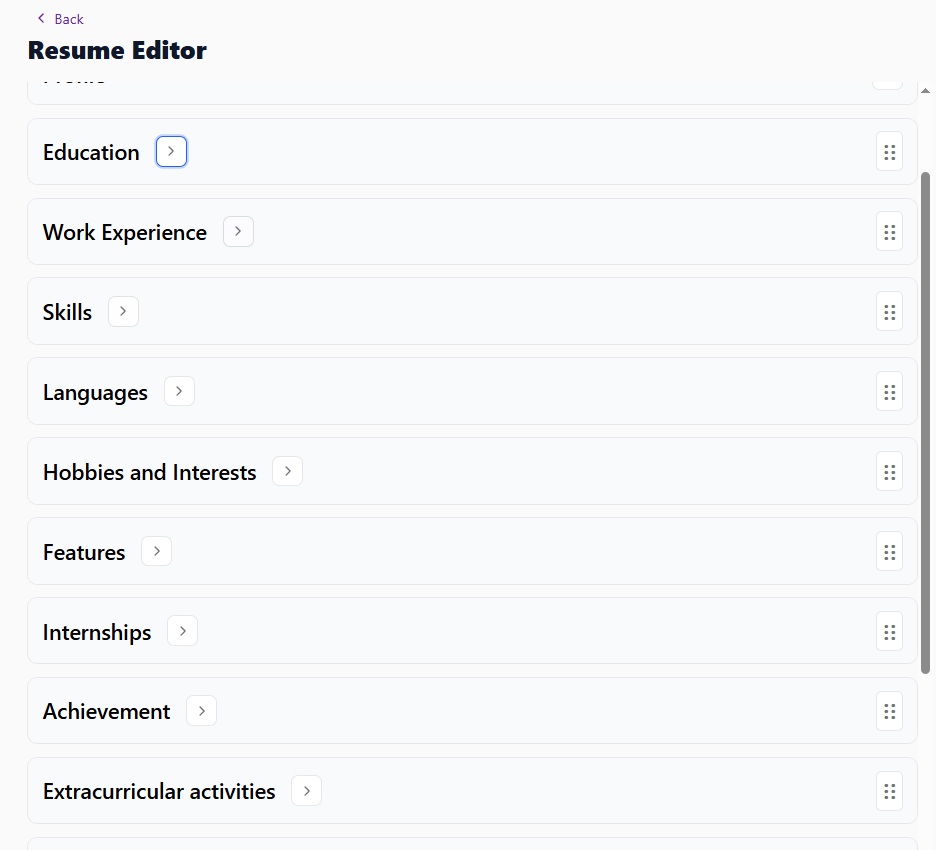
Page: Resume Editor
Reorder Items Inside a Section
You can also reorder items within a section.
For example, in Work Experience, you can move jobs up or down to adjust the timeline or highlight your most important roles.
Click and hold the drag handle next to an item, then drag it to a new position.
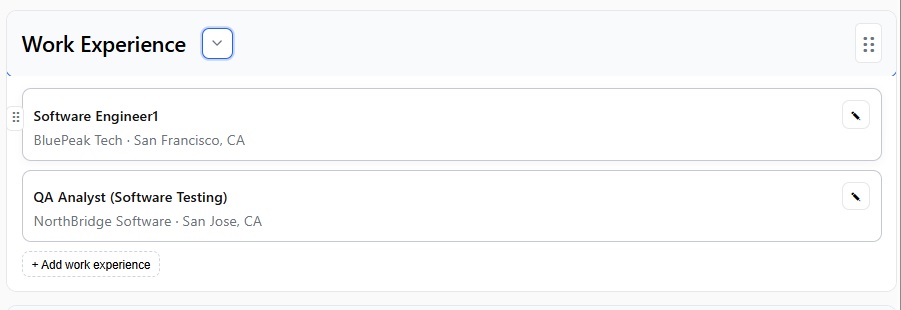
Page: Section with items
When to Reorder Items
Reordering items is useful when:
-
Your work experience is not in the correct order
-
You want to place your most relevant experience first
-
You want to adjust the timeline
For example, if your dates are out of order, you can simply drag items to fix them.
Changes Apply Instantly
When you move sections or items, the preview updates automatically.
You can immediately see how your resume looks in the new order.
Tips for Better Structure
-
Place the most important sections at the top
-
Keep your experience in a clear order
-
Highlight your strongest skills first
What’s Next?
After organizing your resume, you can:
-
Change the template
-
Download your resume
-
Share your resume