
How to Create a Resume (Step-by-Step Guide for Beginners)
Creating a professional resume is the first step to getting hired. A well-structured CV helps recruiters quickly understand your skills, experience, and value.
With CreatiCV, you can build a modern, ATS-friendly resume online in minutes using templates and AI tools.
Step 1: Go to Your Dashboard
Log in to your CreatiCV account and open your Dashboard.
This is where all your resumes and documents are stored.
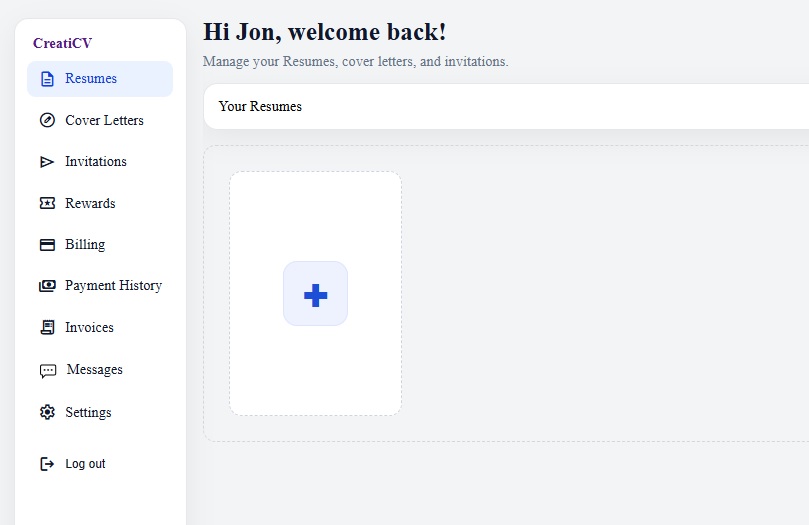
Step 2: Create a New Resume
In the Your Resumes section, click the large “+” card.
CreatiCV will instantly create a new resume and open it in the editor.

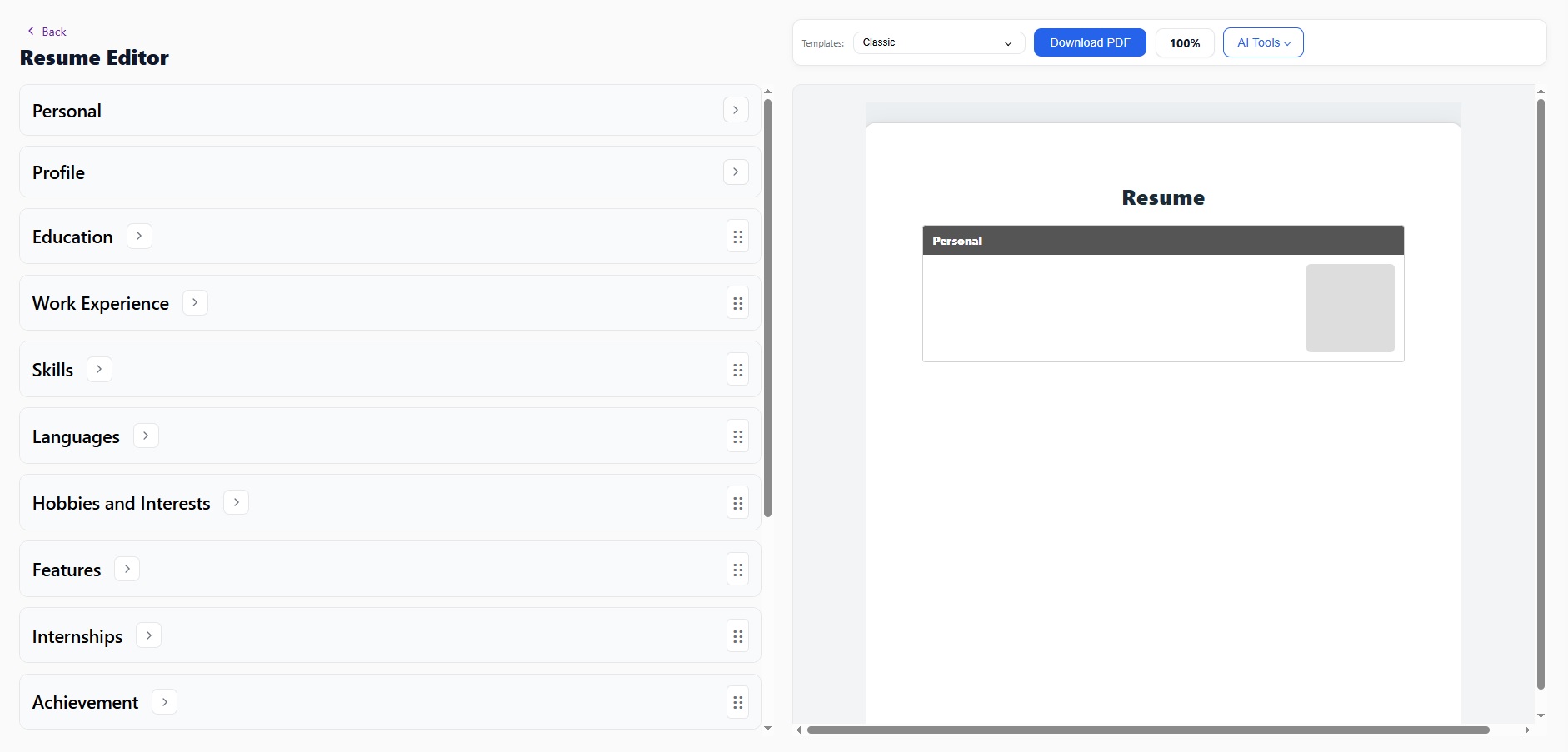
Step 3: Start Editing Your Resume
Once the Resume Editor opens, you can start adding your information.
Your resume is organised into sections:
- Personal details
- Profile summary
- Education
- Work experience
- Skills
Click each section to edit your content. Your resume preview updates automatically in real time.
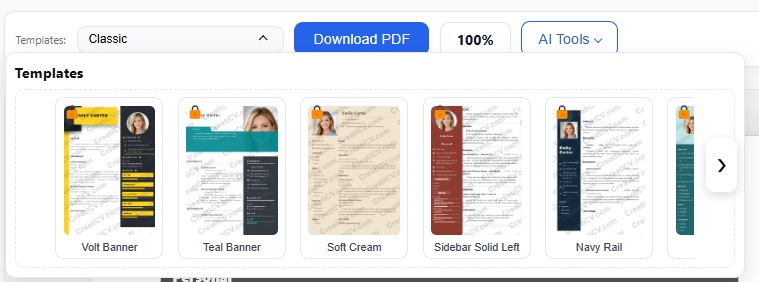
Step 4: Choose a Professional Template
At the top of the editor, you can change your resume template.
Click the Templates dropdown and choose a design that matches your industry.
👉 Browse Resume Templates
All templates are designed to be ATS-friendly, ensuring your CV works with recruiter systems.
Step 5: Download Your Resume as PDF
When your resume is ready, click Download PDF.
You will get a clean, professional document ready for job applications.
Step 6: Continue Editing Anytime
Your resume is saved automatically while you work.
You can return anytime to update, improve, or customise your CV.
Tips for a Better Resume
- Keep your content clear and easy to read
- Use bullet points for experience
- Focus on achievements, not just tasks
- Use a clean, professional layout
- Tailor your resume for each job
Improve Your Resume with AI
CreatiCV includes powerful AI tools to help you improve your resume content.
With AI CV Check, you can:
- Analyse your resume quality
- Improve clarity and grammar
- Get suggestions for stronger wording
- Optimise your CV for job applications
👉 Try AI CV Check
Create a Matching Cover Letter
After finishing your resume, the next step is to write a cover letter.
A strong cover letter increases your chances of getting interviews.
👉 Learn how to write a cover letter
👉 Create your first cover letter
Why Use CreatiCV?
CreatiCV helps you create professional, job-ready resumes faster and more effectively.
- Modern resume templates
- Easy-to-use editor
- AI-powered writing tools
- ATS-friendly formatting
- Fast PDF export
Start Building Your Resume
You can create a professional resume online in just a few minutes.
👉 Start building your resume
👉 Explore resume templates