
AI Job Match
Match Your Resume with Jobs
CreatiCV includes an AI Job Match feature that compares your resume with a job description.
It helps you understand how well your resume fits a specific job and what you can improve.
Open AI Job Match
To start:
-
Open your resume in the editor
-
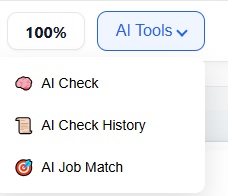
Click AI Tools
-
Select AI Job Match
✏️ Enter Job Information
You can provide job details in two different ways:
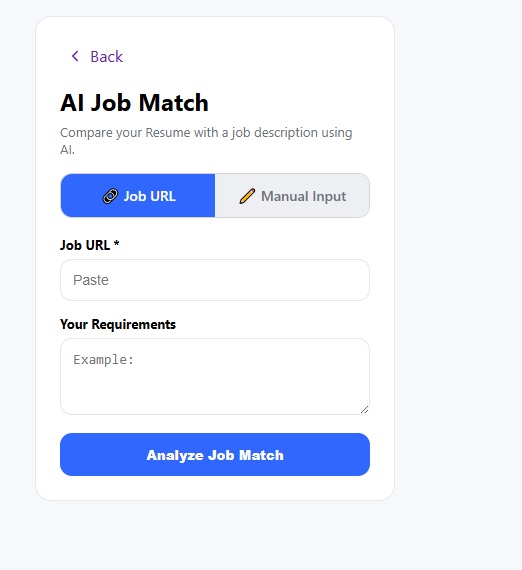
🔗 Option 1: Use Job URL
Paste a job posting link directly.
The system will automatically read the job description and requirements.
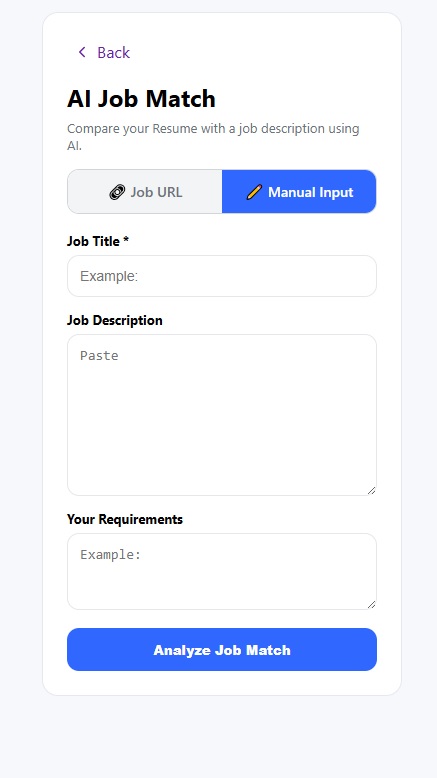
📝 Option 2: Manual Input
You can also enter the job details yourself.
Fill in:
-
Job title
-
Job description
-
Your requirements
Run the Analysis
Click “Analyze Job Match” to start.
The AI will compare your resume with the job information.
📊 View Your Match Report
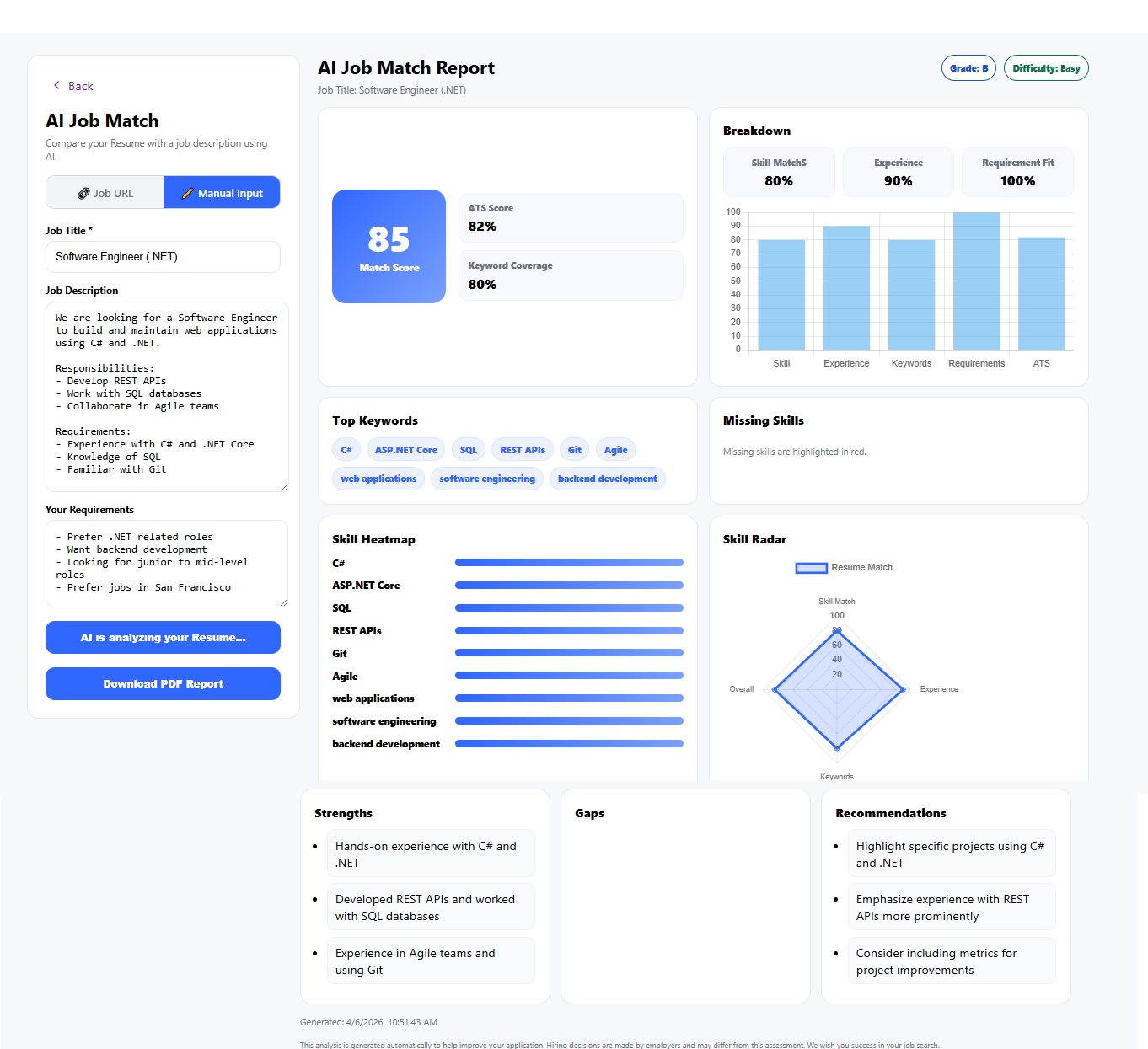
After analysis, you will get a detailed report that includes:
-
Match Score
-
ATS Score
-
Keyword coverage
-
Skill match
-
Experience match
🔍 Understand Your Results
The report highlights:
Strengths
-
What matches the job well
Gaps
-
Missing skills or keywords
Recommendations
-
What you should improve
✏️ Improve Your Resume
Use the results to:
-
Add missing keywords
-
Improve your experience descriptions
-
Align your resume with the job
📄 Download Your Report
You can download the full report as a PDF for later use.
💡 Tips
-
Use real job links when possible
-
Try both URL and manual input methods
-
Run the analysis again after making changes
⚠️ Note
AI Job Match helps guide improvements, but you should always review your resume before applying.